Link your Mobile account to Less Meeting Web
Want to take Less Meeting with you to the Web? Here’s how you can link your existing mobile account to a Less Meeting web account. With Less Meeting web you can share notes and action items across your team, access our Google Apps & Outlook integrations, setup custom branded meeting minutes, and more…
(Note: You’ll need a license to use Less Meeting web, but you can use the register link below for a free 30 day trial. And of course the mobile app is 100% free forever!)
-
Enter the SAME email that you’re already using for the Less Meeting mobile app (you can see this on the Settings tab of the mobile app)
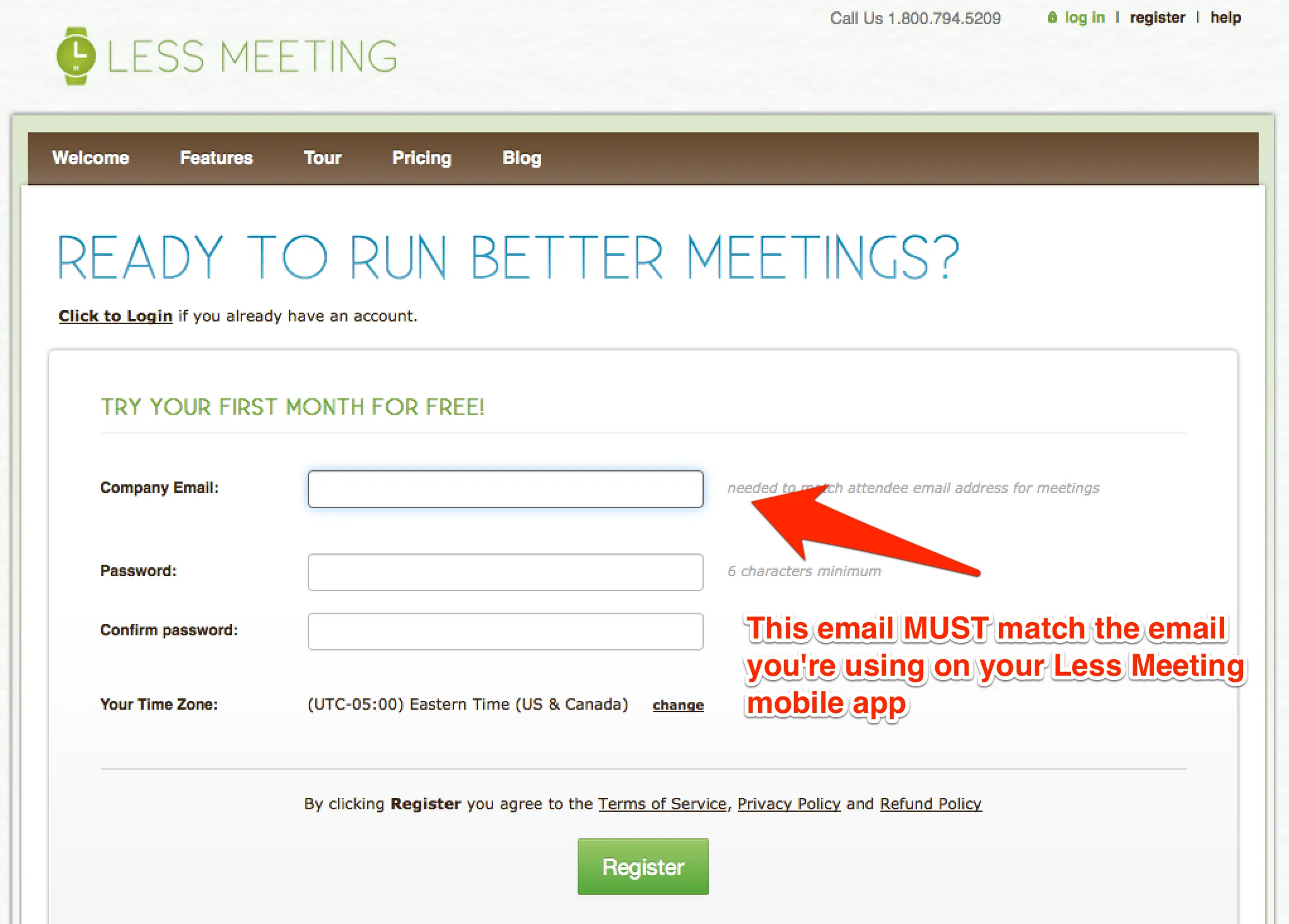
-
Complete the rest of the registration form and click Register
-
Check your email inbox & validate your registration email
-
Launch the Less Meeting mobile app
-
Navigate to the Settings tab & tap Link to Web/Change Email
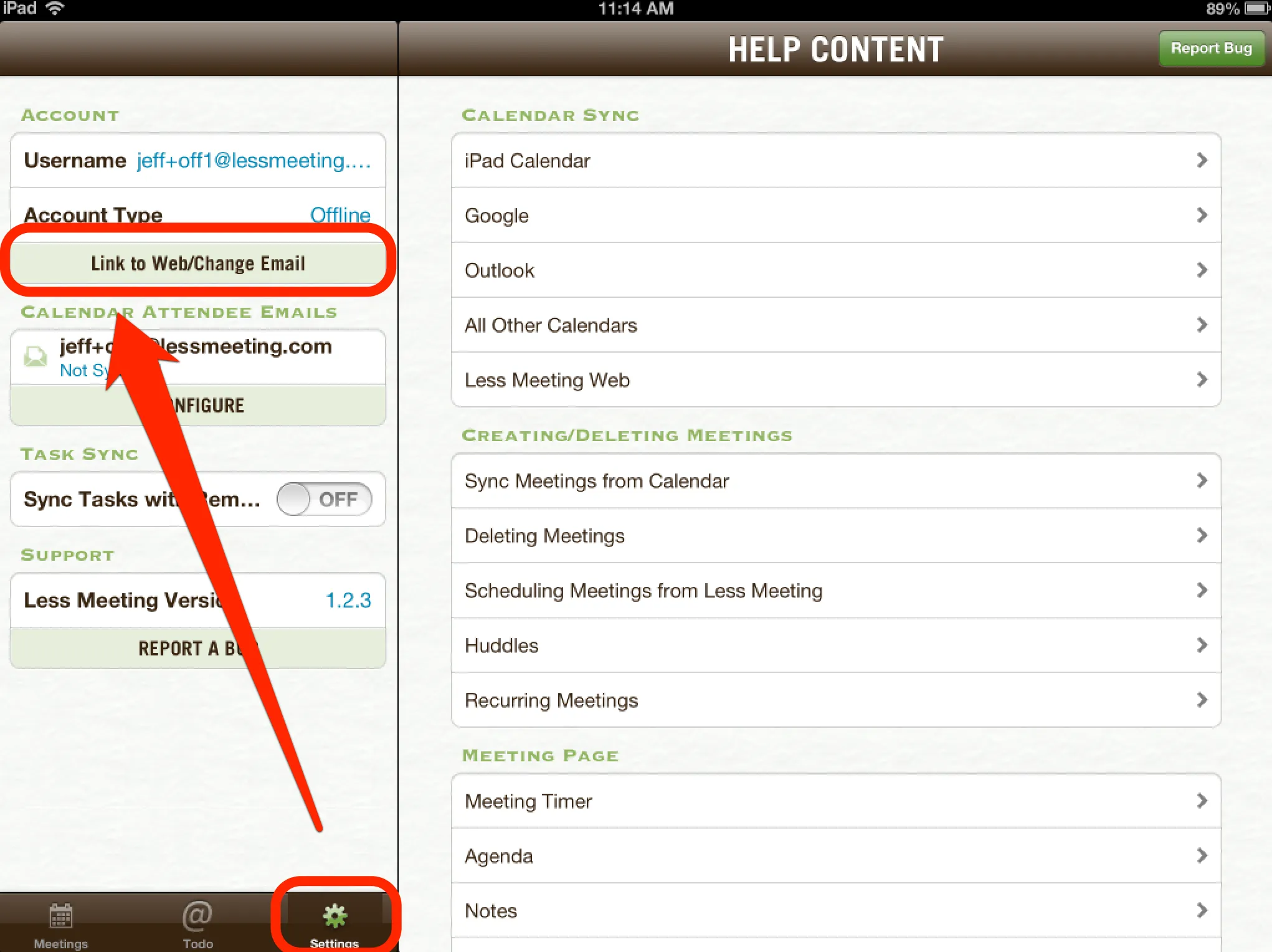
- Tap Link Web Account & enter the same email & password as steps #2-3 above
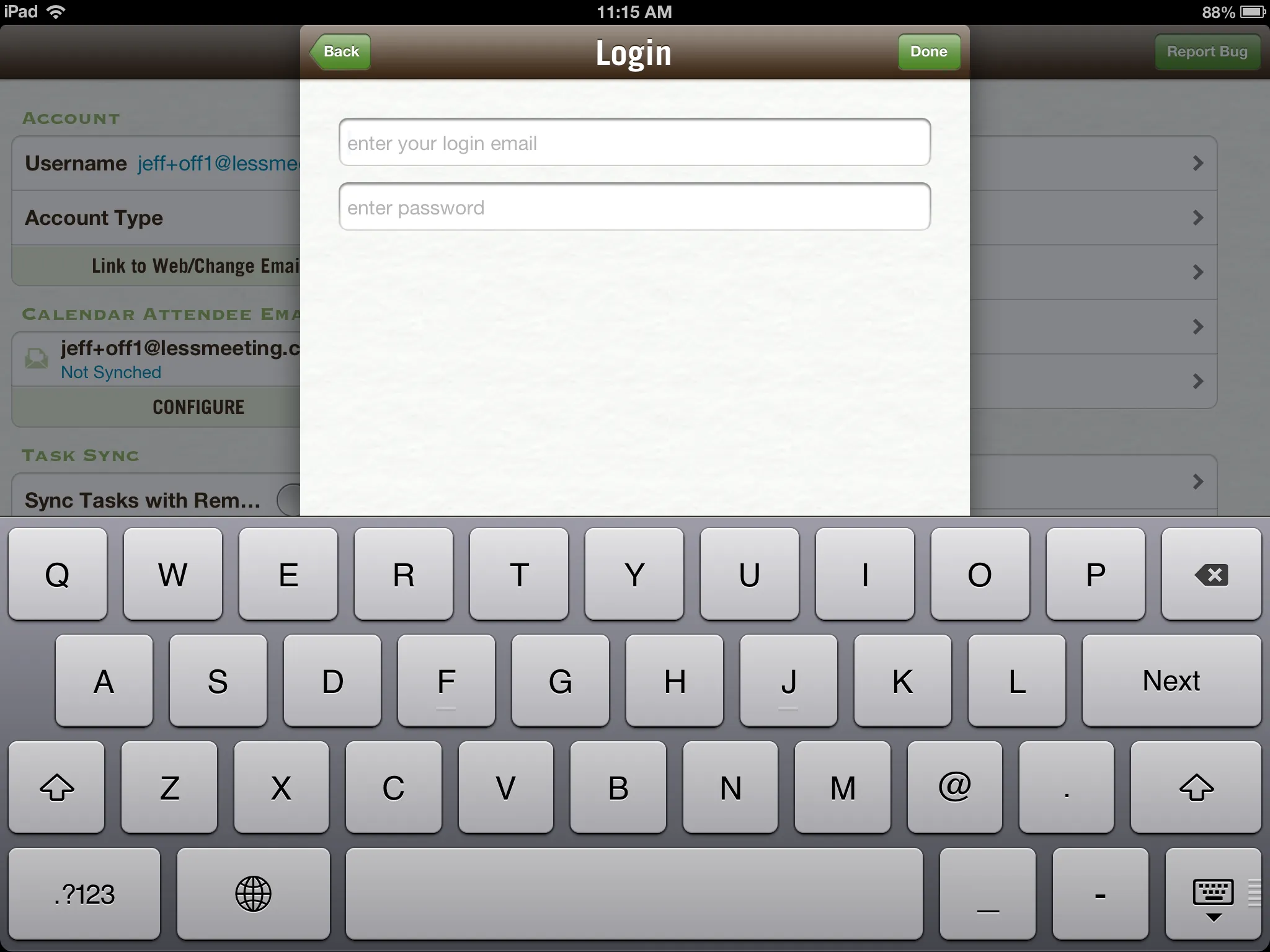
- Tap Done
After you’re done, all your meetings, notes, and action items will seamless sync between all your mobile devices and the Less Meeting website!