- Using Less Meeting
New Less Meeting Release - Making Meetings Easier to Manage
By Jeffrey Steinke
Our spring release is out the door and chances are you’ve already noticed some of the changes around Less Meeting.
We started simplifying the meeting interface and also added a couple highly requested features to manage meeting invites.
Meeting Agenda Templates
Do you have the same template you use on all your sales calls? Want to share a standard status meeting template with your whole team?
New agenda templates let you create a standard agenda template and even share it with your team.
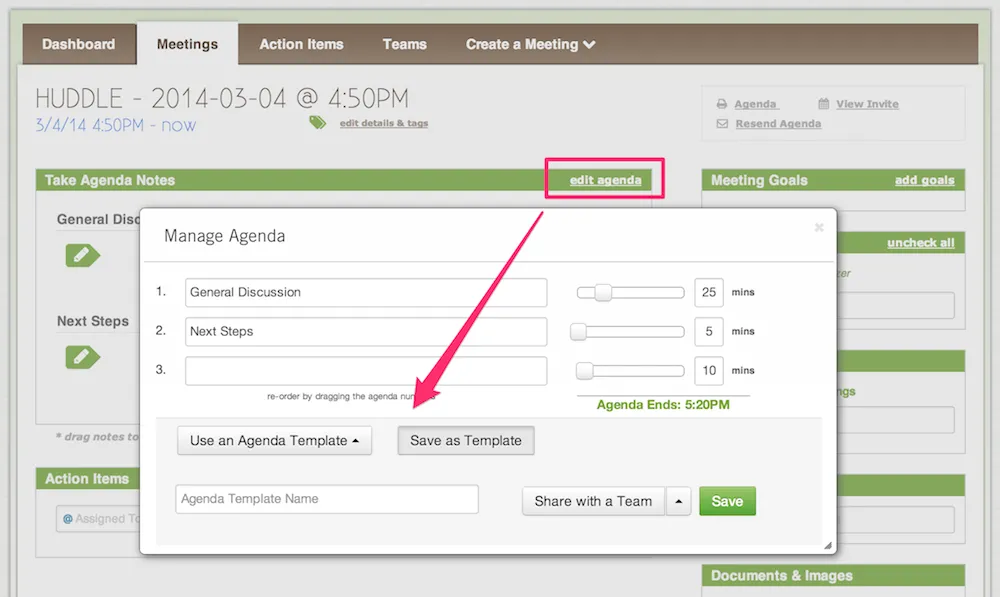 Click “edit agenda” and choose Use an existing template or Save a new one
Resend Agendas & Invites
Often times empty meeting invites are added to the calendar to block off someone’s time. One of the unfortunate side effects of too many meetings!
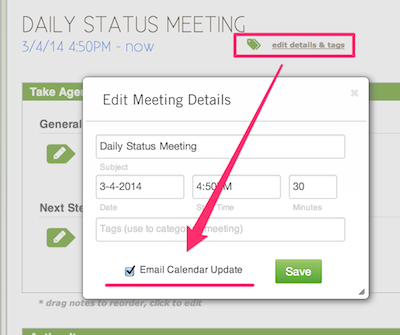
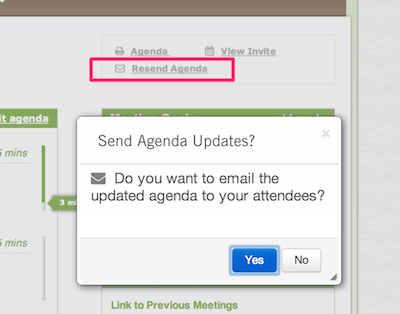
We realize this is unavoidable, though, so want to make it easier for you to update meetings and communicate that to the rest of your team. Introducing the ability to send an updated meeting invite (including the .ICS file) and the ability to send the updated agenda to your attendees.
Updating the Meeting Invite |
Updating the Meeting Invite |
|
|
|
Simpler, Cleaner Notes & Minutes Interfaces
You’ll notice that the note taking interface is now more clean and inviting. We’ve cleaned out a lot of the noise including the multiple text boxes and excess labels. The result is a notes section letting you focus on what matters - the notes.
We’ve taken the popular drag & drop styles from the mobile apps and applied these to the web, so you should find it easier to drag & drop your notes, as well as the green note icon. Click & hold on any note - or the green note icon itself - and drag it to wherever you want it.
And when it’s time to send the meeting minutes, you’ll also notice a newly redesigned popup.
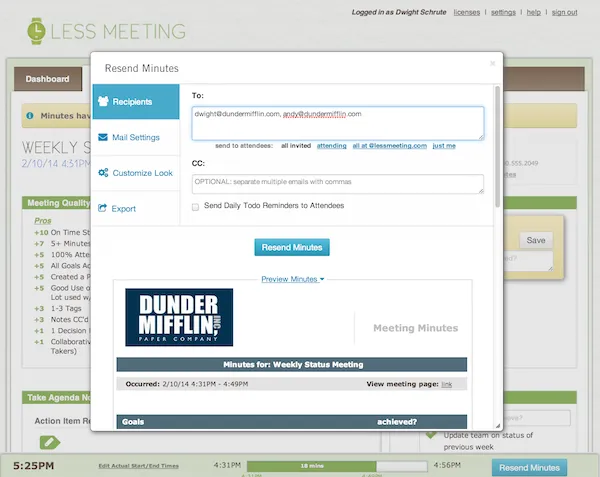 The redesigned Meeting Minutes interface
New PDF Export Format
Continuing with the theme of cleaner and simpler, the export to PDF has also been redesigned to match the styling of the export to Word.
Note that if the meeting hasn’t started you’ll still see the old format, which is designed for offline users who need to take notes by hand and enter them back into Less Meeting later.
Undo Deleted Meetings
Delete a meeting on accident?
Here’s how you can add back, or undelete, any of your meetings:
- Visit your Meetings page and check the “Deleted/Declined” filter option
- Click the **“Remove Meetings”**link
- You’ll notice a green **”+“**icon next to your deleted meeting - click this and your meeting will be re-added
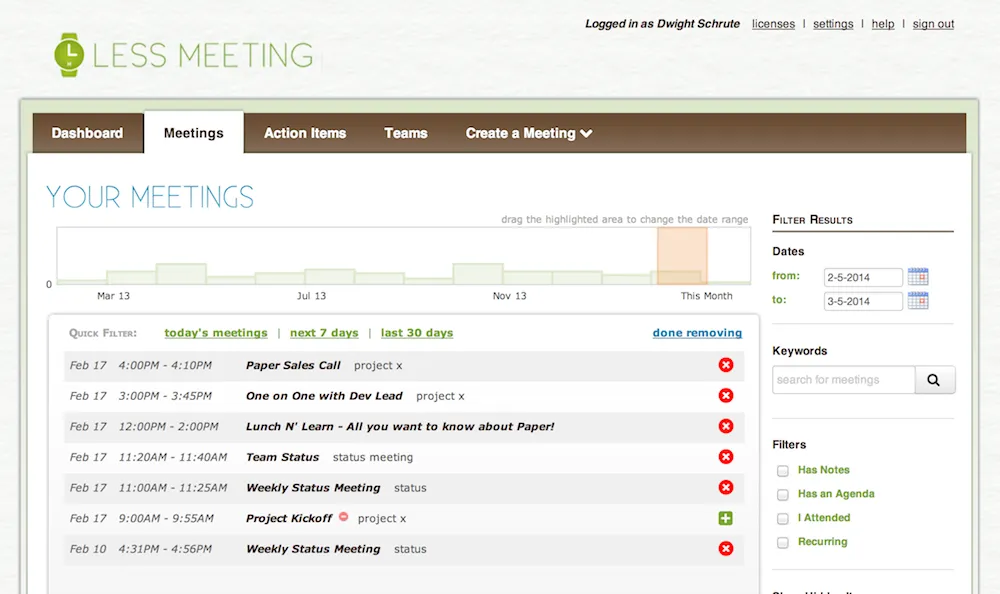 Click the green ”+” icon to readd your meeting
Let us know what you think of all these new features and as always, thanks for all the feedback that helped us plan this release.