Outlook Add-in Error: Exception occurred loading manifest from file
When I try to install the Less Meeting Outlook plugin, an error appears:
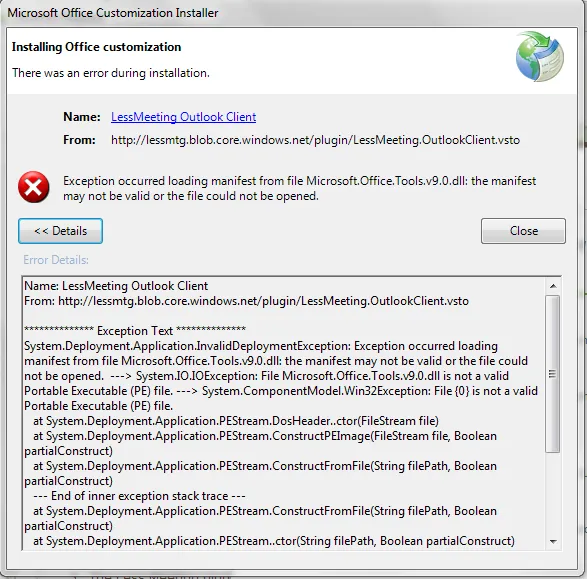
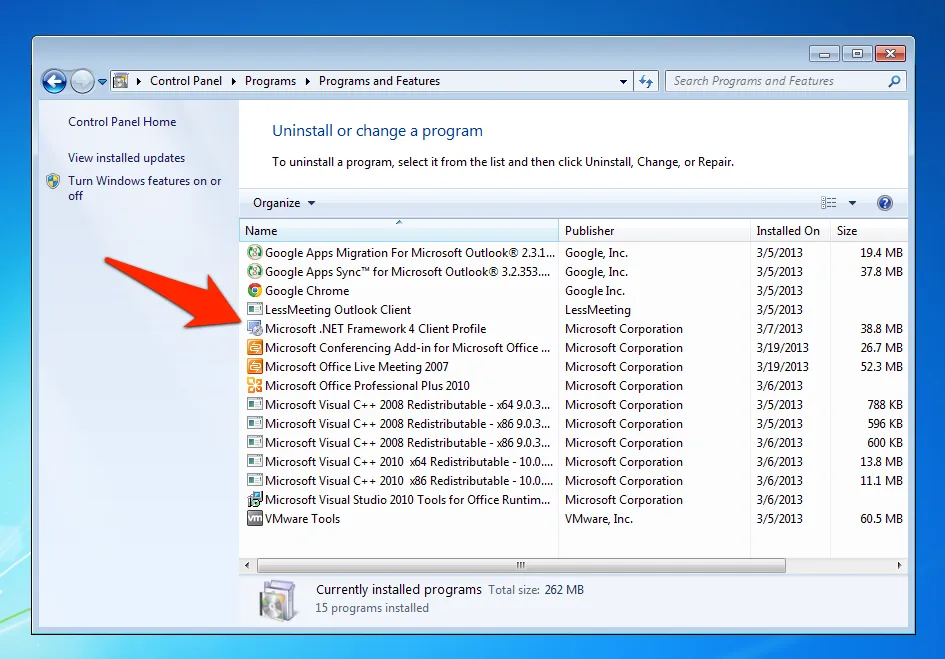
Exception occurred loading manifest from file Microsoft.Office.Tools.v9.0.dll: the manifest may not be valid or the file could not be opened.System.Deployment.Application.InvalidDeploymentException: Exception occurred loading manifest from file Microsoft.Office.Tools.v9.0.dll: the manifest may not be valid or the file could not be opened. ---> System.IO.IOException.File...The solution is to have Microsoft .NET Framework 4 or above installed. Download and install that here. You can check your current version by clicking “Start” —> “Control Panel” —> “Programs” —> “Uninstall a Program” (note this may vary depending on your version of Windows).
Example:
If you are still having issues, follow these steps:
- Uninstall your current version of .NET
- Re-Install the latest version (link here)
- Restart/reboot your computer (this step is required)
- Try to re-install the Less Meeting add-in again
If you’re still having issues, reach out to us directly so we can help you troubleshoot.