Is my Less Meeting Outlook Plugin working correctly?
Unsure whether the Less Meeting Outlook plug-in installed correctly? Check these two areas to see if your meetings should be syncing to Less Meeting.
1. Meeting Plan & Add-Ins Menu Option
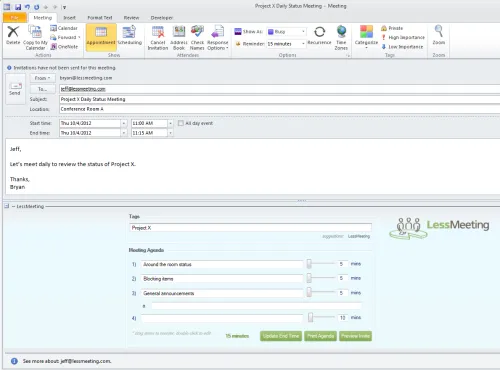
The first thing you should notice is the section when scheduling a new meeting to enter your Less Meeting tags and agenda.
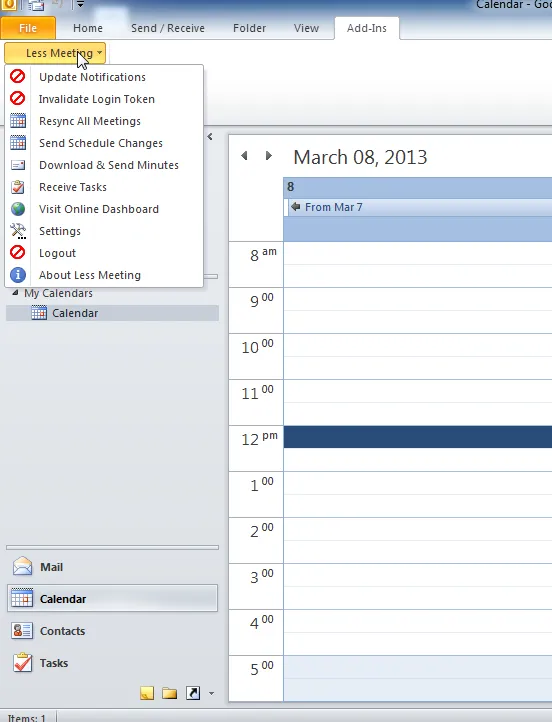
Additionally you’ll see an Add-Ins menu for Less Meeting.
2. Status of the COM Add-In
In addition you can check the status of the COM Add-In. In Outlook 2010 follow these steps:
- Click the orange File menu
- Click Options from the left menu
- Click Add-Ins from the left menu
- Click Go… from the bottom next to Manage: COM Add-Ins
At this point you should see a window like this with the following settings for Less Meeting:
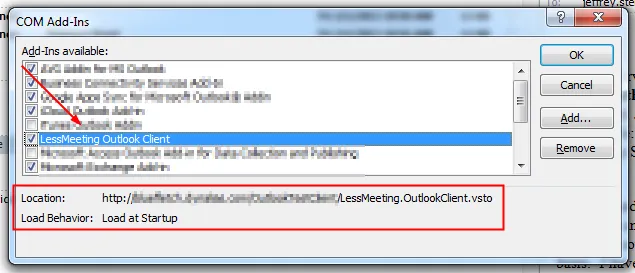
If you have problems with any of the above you cancontact us and we’ll help you further.