- Features Update
New Feature Release
By Richard Makerson
We’re excited to show off some of the new features we just released:Revised Meeting Player
Our ‘Meeting Player’ got an upgrade so you can always see it on the page. We were getting some feedback that it was too easy to forget about it after you started the meeting. So now it floats at the bottom of the page - kind of like the Facebook bar.
Click the ‘Start Meeting’ button to start timing your meeting. See how much time you wasted waiting for everyone to get to the meeting on time! And when you’re done, see how much you went over/under what you planned.

Printable Agenda Worksheet
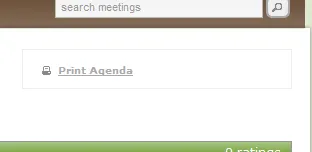
Now you can have a hard copy printout to take meeting notes - whether it’s because you don’t like the idea of computers in meetings, or because you don’t have WiFi in your conference rooms. Use the ‘Print Agenda’ button in the Outlook client or the link in the online meeting space to generate a printable PDF that lets you record all the same information that the online tool lets you record. The worksheet makes it simple to come back and type your notes into LessMeeting so you’ll have them to search through later.
Preview Invite Button
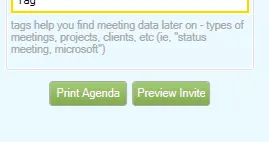
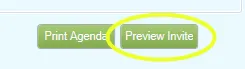
Have you ever been unsure exactly what the meeting request emails we’re generating look like? We’ve gotten some feedback that sometimes there’s one or two things you wish you could have tweaked, or there was hesitation that first time you hit send because you weren’t sure exactly what was coming. We’ve added a ‘Preview Invite’ button in the Outlook plugin for just that reason. You’ll see your meeting invite with all the goals, agenda items, and tags put right into the body text. (If you’re curious about the meeting minutes email, look for the preview link there as well)
\
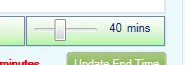
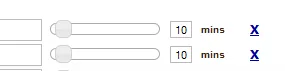
Minute Sliders
As part of our ongoing goal to make the UI as simple as possible, we’ve introduced sliders to quickly set the length of your agenda items. You’ll notice the change in the plugin, as well as the web interface. It’s only a few clicks faster than before, but we’re committed to going out of our way to make changes like this, where it just makes things feel easier. Now you can rapidly pop off your agenda items, quickly change the time, and you have even fewer reasons not to include your meeting agenda!
There are a bunch of other updates in this release, but we just wanted to highlight a few of the things we’ve been up to. We’d love to hear your feedback!