- Business Tips
- General Productivity
2 New Great Web Conferencing Tools...and they're FREE
By Jeffrey Steinke

Whether you’re a traveling consultant or you work for a company that has multiple office locations, there’s a good chance that you use conference calls for meetings. In the past you would get a conference dial-in number, send that to all of the participants,and then dial in the admin code yourself. There’s a handful of problems with this:
- The dial-in process is painful: “Oops, I pressed a 4 instead of a 7! Now I have to start all over.”
- People rarely arrive on time: “Sorry, I couldn’t find the dial-in information.”
- It is hard to pay attention: “What did you say? Could you please repeat that?”
- There is no collaboration: “I can’t see what you’re looking at.”
Fortunately technology has fixed most of those issues, but up until very recently the solutions were costly. One of the most common solutions is GoToMeeting, but that costs $50 per month per person. Skype is free, but it doesn’t allow you to share your screen, so really it only solves the first two issues listed above.Enter MeetingBurner and Google+ Hangouts. Web conferencing has never been freer or easier.
We’ll reiterate that: Free and easy web conferencing. The holy grail of conference calls!

MeetingBurner
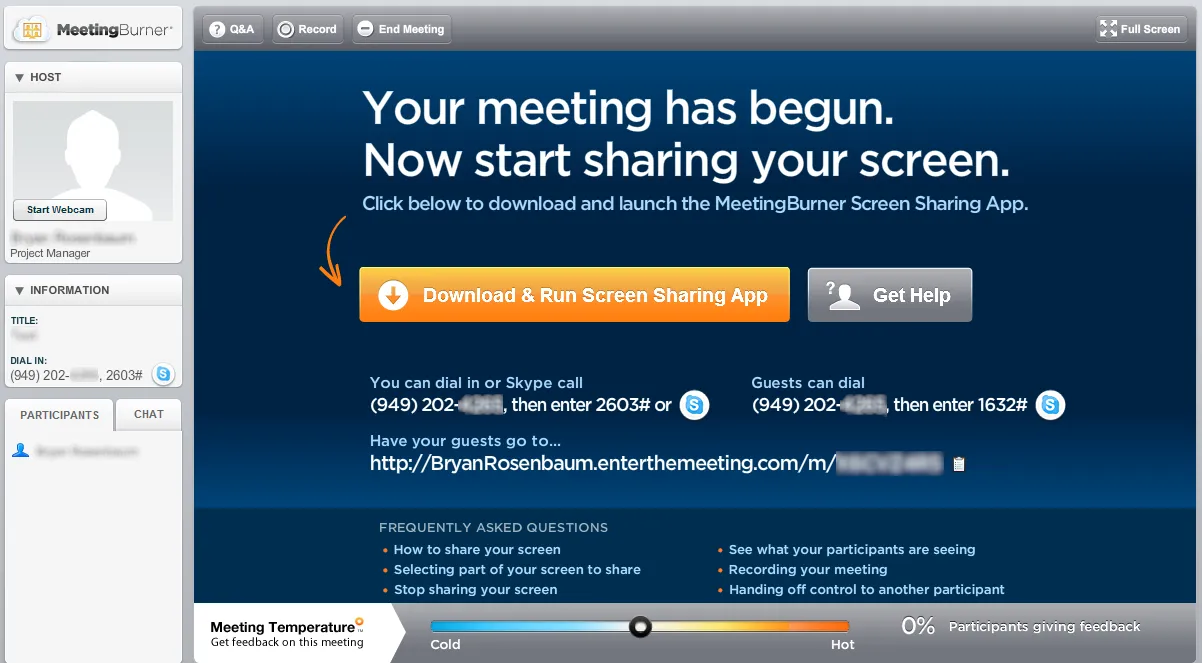
About a month ago TheNextWeb wrote an article about MeetingBurner. We tried MeetingBurner out (it’s FREE!) and found that it was very easy to use and attendees didn’t need to download any software. The meeting organizer needed to download software to share his or her screen, but overall it took less than a minute to start sharing a screen for the first time.
MeetingBurner also offers a dial-in phone number for those that cannot join through their computers. Overall our experience was very positive and we’d definitely recommend it for anyone who needs to organize a web conference with screen sharing.
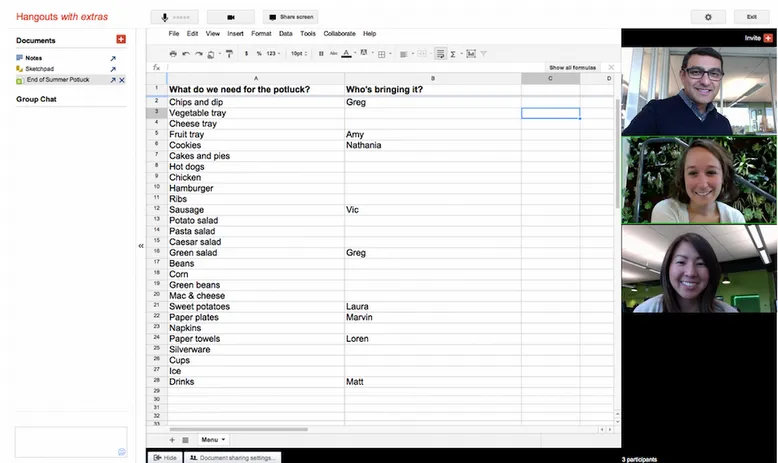
**Google+**More recently, Google has announced that Google+ Hangouts will have a screen sharing feature, as well as other collaboration tools such as shared documents and a sketchpad. The key question is whether Google+ can be used for web conferencing in a business setting?
What do you think? Do you have your business contacts and/or co-workers in your Google account? We’re really happy with the functionality and ease of use that MeetingBurner provides, so we’re sticking with them for now. We’d love to hear from you if you want to comment.